
August 16, 2026
AI employee onboarding videos: how do you create ones new hires actually watch? Learn how to plan, script, localise and update them without repeat filming.
An AI employee onboarding video is a welcome or training video that uses AI tools, such as avatars, voice generation or automated editing, to help new hires learn about your company. To create one well, plan the content first, write it to be spoken rather than read, choose an AI avatar or real footage depending on the topic, and review it for accuracy before you publish.
If you work in HR or L&D, you have probably sat through the same onboarding video: upbeat music, a warm welcome, then endless slides about policies and passwords. That is an onboarding problem, not just a video problem, and AI employee onboarding videos can genuinely help you fix it.
This guide covers what these videos are, how to plan and script them well, and how an AI video production agency like Lime Content Studios can help you get it right.
Your new employees are not just learning a job. They are learning an entire organisation, and the first few weeks shape how they feel about your company for years afterwards.
Here is what that gap actually costs you:
Video can help close this gap, but only if it supports your wider onboarding process rather than trying to replace it. Done well, AI video for HR training saves your managers hours of repeated explaining.
A conventional onboarding video assumes permanence. You write a script, book a studio, film your presenters, then edit and approve the final cut.
The trouble is that your company changes constantly:
Employee onboarding video production used to mean booking a crew and a voice-over artist every time one of these details changed, which is why so many onboarding videos quietly go out of date.
AI employee onboarding videos change that maths. The real benefit is not how quickly you make the first version. It is how cheaply you can make the twelfth version, once your policies have moved on.
AI does not remove the need for good production. You still need someone to plan the content, write the script and check everything for accuracy. What AI removes is the repeat filming.
An AI-generated onboarding video typically draws on:
At Lime, we combine these tools with more than 15 years experience in video production in Hong Kong and the Asia Pacific region, so AI onboarding video production supports your brand rather than working against it.
A single new hire training video rarely covers everything a person needs to know. Most successful programmes use several short videos instead:
Not every onboarding video needs the same treatment. Here is a simple way to decide:
Microsoft WorkLab research found that new employees were 3.5 times more likely to feel satisfied with onboarding when their manager played an active role, a good reminder that AI should support your people, not replace them.
This hybrid approach, guided by more than three decades of broadcast experience within our team, is how we approach most projects at Lime.
Good AI onboarding video production starts with a clear brief, not a prompt. Follow these steps:
Following onboarding video best practices mostly comes down to one habit: keeping each module short and focused.
A MOOC video engagement study of 6.9 million viewing sessions found that shorter videos held attention far better than long ones. This lines up with educational video design research showing that managing attention, easing cognitive load and encouraging active learning are what make an educational video actually work.
A few practical rules follow from this:
A script that reads fine on paper often sounds stiff once spoken aloud. This matters even more with an AI avatar, because it cannot rescue an awkward sentence the way an experienced presenter can.
Compare these two openings for an expenses video:
Same subject, very different experience. When producing an AI training video for new hires, write it the way you would explain it in person.
If your business has staff across more than one country or language, localisation is often where AI employee onboarding videos deliver the clearest return.
AI voice generation and lip-syncing shrink production time considerably, which is one reason demand for a corporate onboarding video Hong Kong production partner can localise properly, in English, Cantonese and Mandarin, has grown so quickly.
A multilingual onboarding video needs more than a straight translation. Good localisation also adapts:
By the time someone joins you, they have already read your careers page and formed an impression of your brand. If your external brand feels sharp and modern but your onboarding video feels generic, that gap is noticeable.
Colour, tone and pacing all shape how professional a digital employee onboarding video feels. Off-the-shelf templates can get your colours and logo right, but they rarely capture a distinctive voice on their own, which is why creative direction still matters, even when most of the production is AI-assisted.
Onboarding content is meant for everyone joining your company, so accessibility and governance should be part of production, not an afterthought.
W3C accessibility guidelines require captions for all prerecorded video that contains audio, under Success Criterion 1.2.2. Automated captions are a good starting point, but they still make mistakes with names and technical terms, so check them before you publish.
Before you start generating content, ask:
The NIST Generative AI Profile highlights privacy, accuracy and governance as key risks with generative AI tools. A simple approval process, where HR owns the source content, solves most of this before it becomes a problem.
A high completion rate does not necessarily mean a video worked. Plenty of employees can finish a video and remember almost nothing from it.
Instead, track outcomes tied to what each video was meant to achieve:
This is really an in-house versus out-of-house decision applied to video:
In practice, many organisations use both: DIY tools for frequent updates, and a partner for the videos new hires see first.
At Lime, our approach to AI employee onboarding videos starts with strategy, not software:
Our AI video production combines platforms such as Sora, Kling and Runway with AI voice-overs and avatars, directed by a team with more than 15 years of broadcast and video production experience.
For multilingual teams, we produce onboarding video content in English, Cantonese and Mandarin.
Well-made AI employee onboarding videos help your new employees feel welcome and reach full productivity sooner, without asking your HR and L&D team to repeat the same explanation for every new hire. The technology makes production faster and cheaper. Good planning, scripting and creative direction are what make the result worth watching.
If you want onboarding videos that actually work for your business, Lime Content Studios can help you plan, script and produce them, in English, Cantonese and Mandarin. Get in touch with us for a free consultation.
It's a welcome or training video that uses AI tools, such as avatars, voice generation or automated editing, to help new hires learn about your company. Many of the strongest examples still combine AI with real footage rather than relying on AI alone.
AI makes it faster and cheaper to produce, update and translate onboarding content, so your videos stay current as policies change. This lets your HR and L&D team treat onboarding content as something that evolves, rather than a film library that slowly goes out of date.
AI alone will not make a boring video more engaging, but the lower cost makes it practical to break long sessions into shorter, more focused modules. Shorter, well-targeted videos generally hold attention better than one long one.
Most effective modules run between two and six minutes, though the right length depends on the topic. If a video covers several distinct ideas, splitting it into separate short videos usually works better than one long one.
Savings depend on how many videos you need, how many languages, and how often you update them. AI tends to save the most at scale, since templates, avatars and voice generation cut down on repeat filming.
Yes, many AI video tools can generate a first draft from a PowerPoint, PDF or document. That draft usually still needs rewriting, since content built for a live presenter rarely works as a standalone video.
It depends on the subject. Fast-changing details such as job titles, software screenshots and policy numbers should be reviewed every few months, while broader content, such as your company story, can last much longer.
They work particularly well for procedural or policy-based content that changes often, since updates do not require a reshoot. For personal moments, such as a CEO welcome, a real presenter usually still makes a stronger impression.
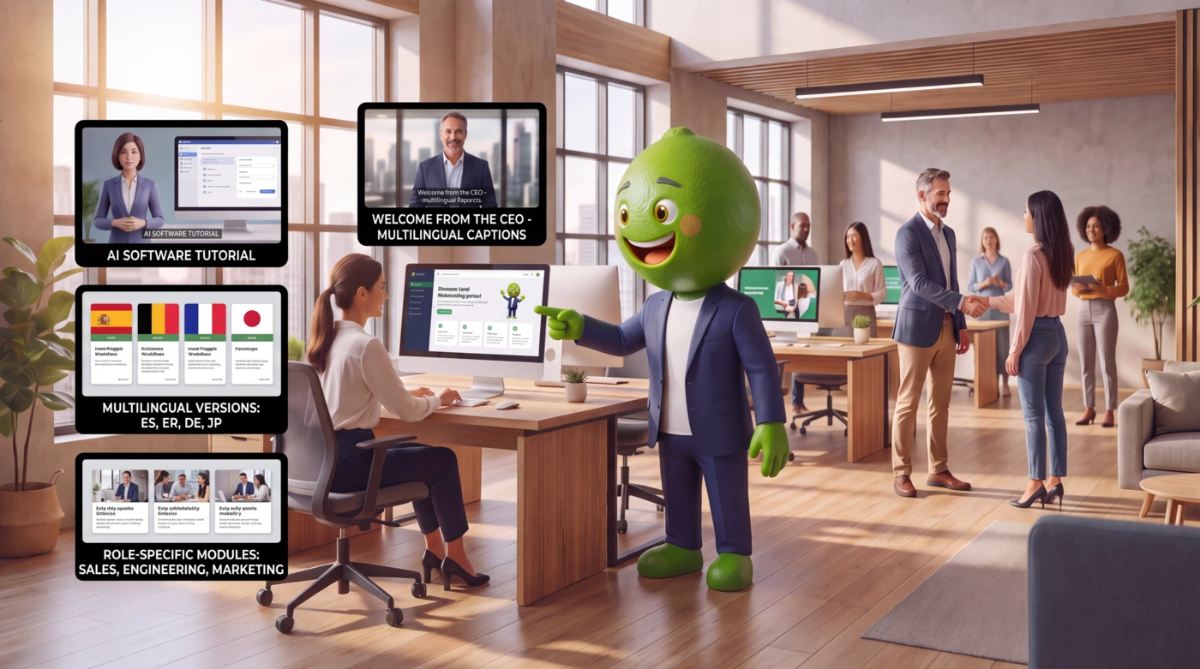
Yes, and this is one of AI's more useful applications in onboarding. You can keep a shared core video while creating role- or location-specific versions for sales, management or other teams.
Yes, AI voice generation and lip-syncing can speed up multilingual production considerably. Even so, translations should be reviewed by a fluent speaker, since some content needs cultural adaptation rather than a word-for-word translation.
No, video works best for delivering consistent information, while people are still better at building relationships and answering questions that need judgement. The strongest onboarding programmes use video to support managers, not to replace them.
Process tutorials, software walkthroughs, compliance training and multilingual content all work well, since they get updated often and benefit from consistency. Culture videos and leadership messages can also use AI, though they usually benefit from real footage too.
They can be, provided you plan accessibility into production rather than adding it at the end. This includes accurate captions for anyone who is deaf, hard of hearing, or simply watching without sound.
Yes, particularly around voice cloning, avatar creation and any internal documents uploaded to an AI system. It is worth confirming who has consented to appear, who can access the resulting files, and who approves each finished video.
Completion rate is a starting point, but it does not confirm learning. Better indicators include whether new hires can complete the task the video taught them, along with feedback, time to productivity and reduced repeat questions to HR.
Self-serve tools are useful for quick, low-risk updates, but larger programmes benefit from proper planning, scriptwriting and creative direction. A professional partner can also maintain brand consistency and handle multilingual versions in a way most in-house teams cannot easily replicate on their own.


